
Open

Create Device 'Links'

Related products:Map
  • August 26, 2025
  • 1 reply
  • 42 views

Forum|alt.badge.img

Create a device ‘Link’ which can be used for external applications to allow ‘Linking’ to a specific NetBrain Map & Device.

For example: Say I have an Excel spreadsheet (such as an Inventory Report) or Visio network diagram which shows a device. I’d like it to create a ‘link’ to that same device in NetBrain, such that following the link causes the appropriate map to open, centered on that specific device, with a default Zoom level of xxx%.

This would aid in wider adoption of users who use more rudimentary tools like Visio, Excel or CAD to bring NetBrain into their ‘daily use’ tools.
This topic has been closed for replies.

1 reply

Hi ​@Dug1609 ,

We can generate URLs for all target devices in NetBrain using Network Intent. Please find below instructions.

Steps to Generate a Device URL Using Network Intent

  • create a New Intent
    • Create a new intent.
    • Add a diagnosis to the intent.
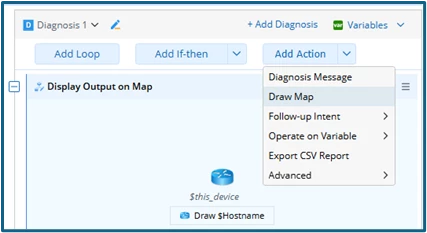
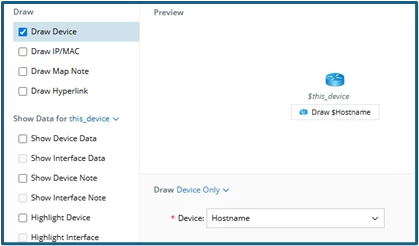
    • Select the Draw Map option under “Add Action” in Diagnosis and choose the same device as the intent device.


  • Replicate the Intent
    • Replicate the intent to all target devices.
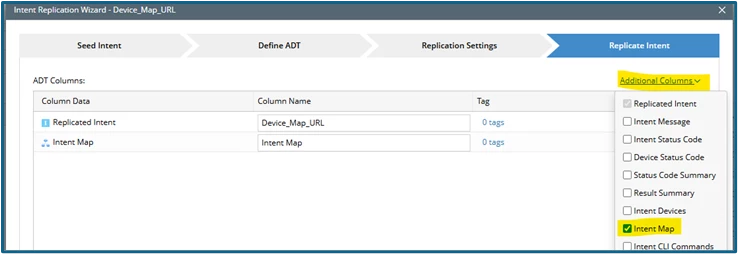
    • During replication in ADT, select Intent MAP as an additional column.
  • Review Replicated Data in ADT
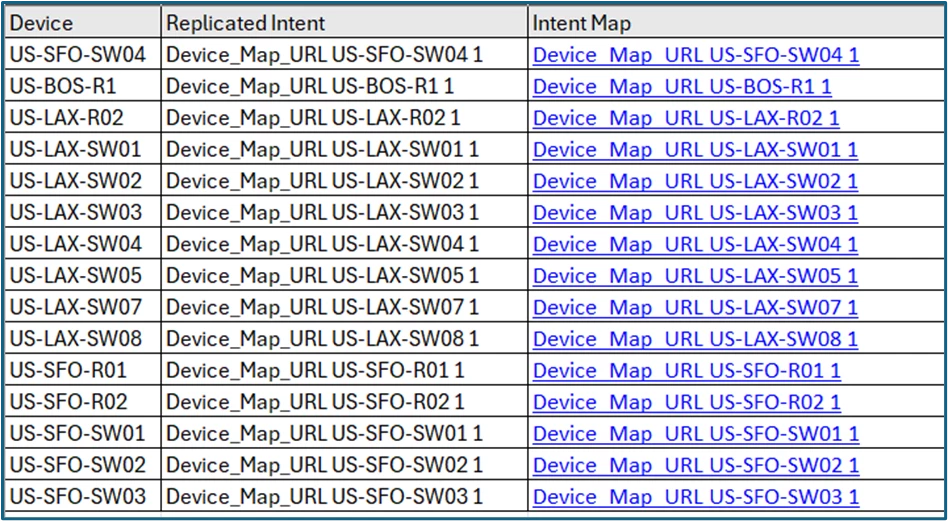
    • After replication, ADT will display three columns:
      • Device
      • Intent
      • Device Map URL
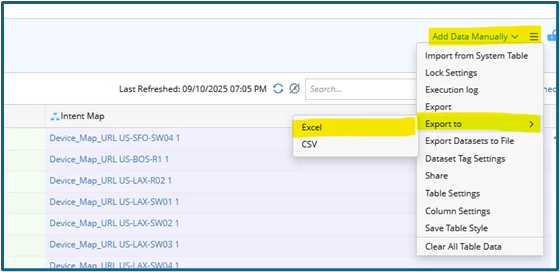
  • Export the Data
    • Export the complete ADT, including the device map URLs, to Excel for further analysis or sharing.